

The concept of electronic checks has been around for many years. Their popularity rivals that of credit cards on websites across the world. The electronic check, or eCheck, is an excellent alternative to the old paper checks as it easily facilitates the process of paying for services.
Quick Answer Summary
An electronic check (eCheck) is a digital version of a paper check that authorizes funds to be transferred electronically through the Automated Clearing House (ACH) Network. Businesses and consumers use eChecks for payroll, recurring bills, vendor payments, rent, and other transactions because they combine the familiarity of traditional checks with the speed, convenience, and security of electronic payment processing.¹²
Key Takeaways
- An eCheck is an electronic payment that authorizes funds to move through the ACH Network rather than by mailing a paper check.¹²
- Businesses commonly use eChecks for recurring payments, invoices, payroll, vendor payments, rent, utilities, and subscription services.
- Customers typically authorize eCheck payments through a signed agreement, online acceptance, or recorded verbal authorization.²
- eChecks eliminate many of the costs associated with printing, mailing, and manually processing paper checks.
- Modern eCheck platforms provide payment tracking, confirmation records, and integration with accounting and payment workflows.
- Businesses should use secure payment platforms and verify payment information to help reduce fraud and unauthorized transactions.³
- CheckIssuing supports secure electronic check processing alongside digital checks, ACH payments, check printing, and other payment services.
The Beginnings
When checks first emerged around 1762, they were physical checks. Vendors had to set aside time to make a bank deposit before a check began its clearance process. Today, the need for the workforce to deposit checks has declined in day-to-day business operations.
Since the advent of the internet, the evolution of the electronic check, or eCheck, has become a popular option for making payments, effectively taking the paper check out of circulation. Many haven’t written checks in years. Some people no longer order checks. Still, some are uncertain about how eChecks function, while others have concerns about their security.
How to Pay With eCheck
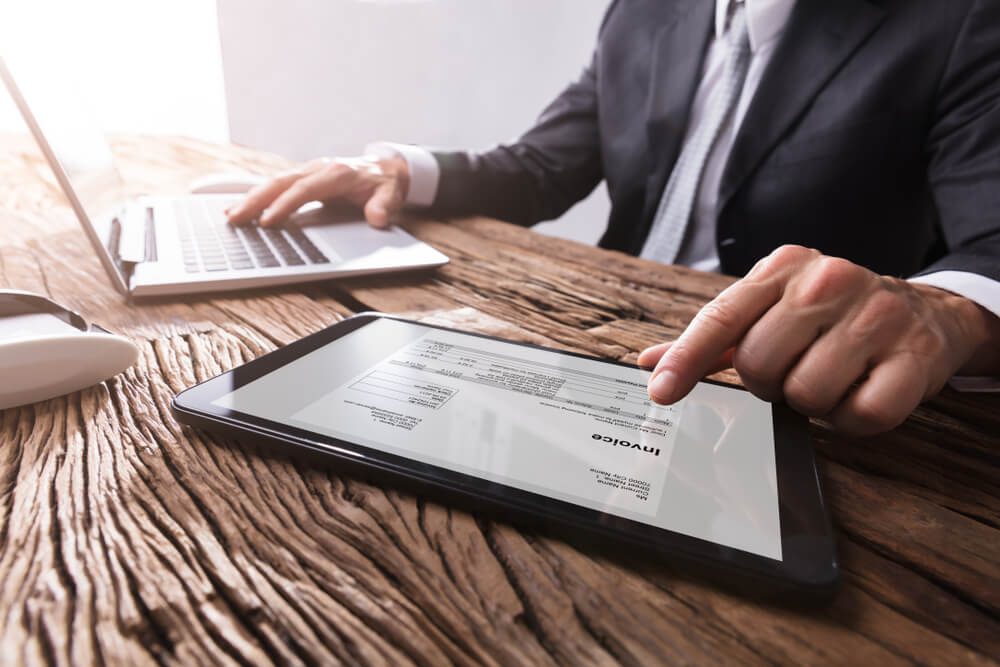
An eCheck is processed like a paper check. The difference is that the eCheck is computer-generated. The paper check is a physical document that requires a signature. Learning how to send an eCheck is easy and requires only a few simple keystrokes on the computer.
Before addressing how eChecks are processed, let’s discuss the process itself. Many people use eChecks to settle monthly obligations, such as recurring bills. Some even use eChecks to send money to others. Other eCheck payments include rent, mortgages, utility bills, and more. Frequently asked questions are: how long does an eCheck take to clear? What are its advantages? Is it safe to submit an eCheck?
To create an eCheck, you must have an account with a bank or eChecking service company designed to transmit funds through an eCheck account. Due to technological advancements, many traditional banks have eCheck capabilities. Once enrolled with your account provider, you have established a link to your account.
Once the link is active, the funds are deducted from the payer’s account. It is then transferred into an account designated by the payee. The transfer goes through the Automated Clearing House (ACH) network.[2] Through the payee’s account, ACH allows payments to transfer from the payer’s account, which is then authorized with the consumer’s approval.
Most often, approvals are granted in one of three ways: a recording of verbal authorization, a signature, or a “Terms of Agreement” form.
eChecks and electronic funds transfers, or EFT, are similar in concept. The eCheck is an EFT processed over the ACH network.
For example, lenders ask car owners to commit to a monthly draft through an eCheck payment document. With the car owner’s signature, the lender is now authorized to deduct a payment from the payer’s account on a designated date each month, or within approximately 72 hours of that date.
How to Send an Electronic Check
How to send an eCheck? The process is simple. Funds withdrawn from the payer’s bank account are transferred via the ACH network and then routed to the payee’s bank. Once the eCheck is received by the other institution, the bank will deposit the funds into the payee’s bank account. The payment process is the same as with a paper check, but eCheck has several advantages.
The first step is to navigate to the account services area and select the option that allows you to send or make a payment. Banking information must be input, which is the information already on a pre-printed check from your bank.
The information listed at the bottom of the payer’s account is vital. The first nine digits are typically your routing number. The routing number serves as an address to identify the bank where the payee’s bank account is. The routing number is not the same as the account number.
The account number follows the routing number. Typically, the routing number ranges from 8 to 10 digits. In some cases, it begins with three zeros. Also, a check number must be entered. The check number is located at the top right of the paper check. Some eChecks require check numbers, while others do not.
Input all of the required information in the correct eCheck fields, including the date on which the authorized funds meet the withdrawal eligibility. Nowadays, many do not own paper checks. If this is the case, you can find the bank account information online or by calling your bank’s customer service department. Before giving authorization, ensure that there are sufficient funds in the account. An account with insufficient funds is typically charged an insufficient funds fee.

How Long Does an eCheck Take to Clear?
Some of the distinct advantages of eChecks include recurring payments, confirmation numbers, and faster processing times. So, how long does an eCheck take to clear? It will depend upon the payee’s network. Still, a standard 48-hour window is typically observed before funds are transferred from the payer’s account to the payee’s account.
Traditionally, checks, whether paper or virtual, clear on business days only. If the fifth day of processing falls on a Friday, the funds are available on the following Monday, the first day of the business week. Given that the funds take 3 to 5 business days to transfer, the eCheck will bounce within 48 hours if there are insufficient funds.
The bounced eCheck behaves similarly to the paper check process. You will need to contact the payee for any additional fees required for resubmission. Sometimes there are no additional fees for resubmitting the check, but this depends on the payer. However, the resolution of the debt is not entirely lost; it is merely delayed.
To cancel an eCheck, follow straightforward procedures. There is a difference between canceling an eCheck before it is cleared and canceling an eCheck after it has cleared the account. If the eCheck is pending, call your payee immediately. If it has cleared, you cannot cancel the eCheck.
If you have a PayPal account, PayPal offers an eCheck platform with specific instructions for use. Check PayPal for the outlined steps to complete an eCheck transaction. PayPal may apply a surcharge for using a check. It is due to the additional fee associated with creating the check option on the PayPal platform.
Now that you are confident in using electronic checks, complete each step and let us know your results. eChecks are a safe and secure method of completing transactions. Ensure that the link used for each transaction is legitimate and secure. eChecks are now a priority method for settling outstanding debts. Let us know what you think. Contact us, call us, or set up a meeting with the experts at CheckIssuing today.
Citations
- Electronic Funds Transfer (Background) – https://en.wikipedia.org/wiki/Electronic_funds_transfer
- Nacha – ACH Network Overview – https://www.nacha.org/content/abcs-ach
- Federal Trade Commission – Online Payment Security – https://consumer.ftc.gov/
- Consumer Financial Protection Bureau – Electronic Fund Transfers – https://www.consumerfinance.gov/compliance/compliance-resources/deposit-accounts-resources/electronic-fund-transfers/electronic-fund-transfers-faqs/
Last updated: September 2025