
Physical mail still matters. Managing it manually should not have to.
CheckIssuing turns inbound checks, documents, remittance items, and related correspondence into a clear, trackable workflow. We handle the mail, scanning, portal uploads, exception support, deposit coordination, and reporting based on your agreed setup.
Your team gets visibility without the manual chase. See what came in, what was scanned, what needs review, what was deposited, and what reports are ready.
When your workflow also includes outbound checks, document mailing, ACH, digital checks, rebates, or 1099s, CheckIssuing can connect those pieces through one secure platform.
Even in a digital world, physical receivables still show up by mail. The challenge is turning those checks, documents, forms, claims, invoices, EOBs, escrow documents, and correspondence into a clear, trackable workflow without adding more manual work to your team.
As more business workflows move online and teams become more remote or distributed, the physical side of the process is often left unsupported. Mail sits in trays. Exceptions stall in email threads. Reports get rebuilt by hand before anyone can use them.

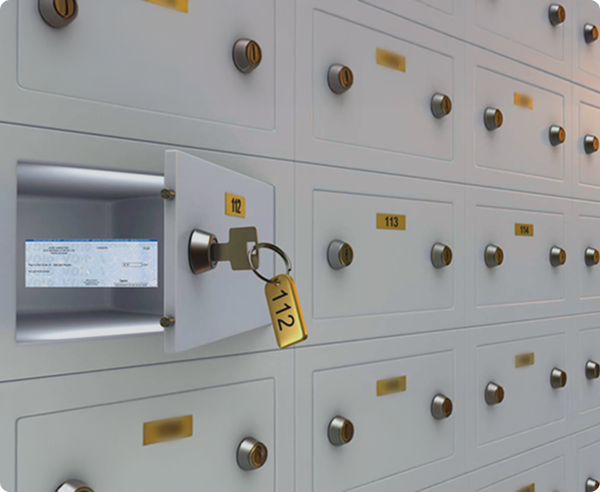
CheckIssuing is a full-service lockbox processing partner. We do the operational work behind the scenes and give your team visibility through a secure client portal.
That means CheckIssuing receives the mail, opens and sorts items, scans checks and related documents, uploads scanned items into the portal, supports exception review, coordinates deposits, and makes reports available based on your agreed setup.
Your team can see what came in, what was scanned, what needs review, what was deposited, and what reporting is available, while CheckIssuing facilitates every step of the processing workflow from mail receipt through reporting.
CheckIssuing provides hands-on lockbox processing for inbound checks, documents, and remittance mail. The workflow is configured around your volume, document types, routing needs, approval process, deposit cadence, and reporting requirements.
Your customers, payers, or clients send checks and documents to the agreed CheckIssuing office, PO box, or lockbox address. CheckIssuing collects and logs the mail as it arrives.
CheckIssuing opens and sorts the mail. Checks, remittance documents, coupons, invoices, forms, claims, EOBs, case documents, and other supporting paperwork are organized based on the agreed workflow.
CheckIssuing scans checks and related documents, then uploads scanned items into the client portal. Your team can view the documents without handling the physical mail.
Key details are captured based on your workflow. This may include payer name, check number, check date, amount, invoice number, account number, case number, claim number, debtor name, property, department, entity, or other agreed fields.
Items that need attention are flagged as exceptions in the portal with the scanned image, captured data, and reason for review. Your team can see what needs attention and why.
Checks that are ready for deposit are prepared and deposited based on the agreed workflow, banking setup, and deposit cadence. Same-day deposit coordination may be available depending on mail receipt timing, document complexity, exception review, and the agreed workflow.
CheckIssuing makes reports available through the client portal or agreed delivery method. Your team can view received documents, scanned images, captured data, exception status, approvals, deposit activity, and downloadable reports.
Standard check workflows may often be set up within 24 to 48 business hours after required details are confirmed. More complex workflows may take longer depending on document types, report fields, approval paths, portal setup, and client-specific requirements.
A deposit total tells you money arrived. It does not tell you what was received, what needs review, or what was included in each batch.
CheckIssuing’s lockbox portal gives your team visibility into the processing work we handle behind the scenes. Your team can quickly see the status of inbound checks, documents, exceptions, deposits, and reports without searching through mail trays, spreadsheets, or email threads.


Some items need a second look. An exception is any check, document, form, remittance item, or supporting record that needs additional review before it moves forward. The problem is not the exception itself. The problem is when nobody can see what is delayed or what needs to happen next.
Exceptions are flagged in the portal with the scanned image, captured data, and reason for review. Your team can see what needs attention and why.
Depending on the agreed workflow, CheckIssuing may hold items for review, route them to a designated contact, support approval steps, correct agreed fields, return items, or escalate exceptions for client review.
CheckIssuing does more than scan and upload documents. We help turn the information captured during lockbox processing into reports your team can actually use.
Reports can be configured around how your team tracks, reviews, posts, reconciles, and audits incoming items. That may include reporting by entity, department, account, invoice, case, claim, debtor, payer, property, location, program, deposit batch, or exception status.
Reports and exports can be delivered in common formats such as CSV, Excel, or PDF, with additional delivery options reviewed during setup.

CheckIssuing can support a wide range of inbound items. Checks, escrow documents, claims, remittance forms, coupons, legal paperwork, EOBs, invoices, correspondence, and other mailed items still arrive and still need to be handled correctly.
During the quoting process, CheckIssuing helps define which document types, routing rules, validation steps, deposit requirements, and report fields are right for your workflow.

Not every organization processes payment mail the same way. A single-entity business with one bank account and a straightforward deposit schedule is a different setup from a multi-entity organization that needs payments routed by department, account, document type, or program.
CheckIssuing can often configure the lockbox processing setup to match the way your team works
Depending on the agreed workflow, CheckIssuing may hold items for review, route them to a designated contact, support approval steps, correct agreed fields, return items, or escalate exceptions for client review.
Reduce manual mail handling, improve visibility into incoming checks and documents, and make reporting easier to manage.
Support physical mail and document workflows when your team is no longer working from one central office. CheckIssuing manages the physical side so your team keeps full visibility through the portal.
Capture rebate submissions, coupons, claim forms, supporting documents, and related payment details in a more trackable workflow.
Process EOBs, insurance checks, patient payments, and healthcare-related documents through HIPAA-compliant lockbox workflows.
Create a documented intake workflow for settlement checks, trust payments, legal correspondence, and case-related documents.
Track escrow documents, settlement statements, title correspondence, property references, entity details, and payment-related mail.
Track debtor references, trustee payments, case numbers, payment amounts, entities, documents, and statuses through a clear, portal-visible workflow.
Create a consistent inbound document and receivables workflow across departments, locations, entities, or programs.
Sensitive checks and documents arrive with information that needs to be protected: payment details, payer identities, account references, legal records, healthcare information, claim details, and confidential business data. CheckIssuing handles these items through a controlled workflow with scanning, portal visibility, access controls, and reporting.
CheckIssuing is SOC 2 compliant and HIPAA compliant. Because CheckIssuing performs the operational work directly, clients get a clearer chain of custody and better visibility into how inbound items are handled from receipt through reporting.
For healthcare workflows, CheckIssuing can review applicable HIPAA requirements during onboarding to confirm document handling, portal access, reporting needs, and workflow requirements for the specific use case.


Traditional bank lockbox services can work well for standard receivables. But not every business has a standard workflow. Some teams need scanned documents, custom report fields, exception review, or payments tied to cases, claims, rebates, properties, patients, debtors, entities, or departments.
CheckIssuing is built for businesses that need more visibility and flexibility around inbound checks and documents, with the full-service operational work handled by our team.
CheckIssuing has supported business payment operations since 2008 and serves clients across industries that need secure, accurate, and flexible payment workflows.
CheckIssuing helps create a consistent workflow for inbound checks, documents, exceptions, deposits, and reporting, so teams are not relying on scattered mail trays, spreadsheets, email threads, or one person manually tracking every item.
The portal gives your team real-time visibility into the work CheckIssuing handles behind the scenes. When questions come up, your team can reach our full-time, in-office support staff directly by phone or email.
Every workflow is quoted based on your actual setup. Custom pricing reflects your volume, document types, deposit cadence, reporting needs, exception handling requirements, and support expectations.


Lockbox is one part of a larger payment operations workflow. Many teams also need to send checks, issue digital payments, process ACH, mail documents, manage rebates, prepare 1099s, or support custom payment workflows.
CheckIssuing can support many of these related workflows through one secure platform, giving your team a more connected way to manage inbound receivables, outbound payouts, document mailing, reporting, and payment operations.
Instead of managing separate vendors, disconnected portals, and manual handoffs, CheckIssuing gives your team a more centralized way to handle the physical and digital sides of payment operations.
Every lockbox workflow is different. Some teams need simple check intake and reporting. Others need multi-entity routing, document scanning, exception review, approval paths, deposit coordination, and custom reporting.
CheckIssuing builds lockbox pricing around the actual work required to support your process, so your quote reflects your volume, workflow, and service needs.
A structured lockbox workflow can also help reduce internal time spent opening mail, scanning documents, tracking exceptions, preparing reports, and coordinating deposits manually.
Request a custom quote and CheckIssuing will help define a setup that fits your volume, document types, deposit needs, reporting requirements, and support expectations.

Lockbox services help businesses manage inbound checks, documents, remittance mail, and related physical items through an organized processing workflow. A lockbox provider receives the mail, scans documents, captures key details, supports exception review, coordinates deposits when applicable, and makes reporting available.
Yes. CheckIssuing provides full-service lockbox processing with portal visibility. We receive inbound mail at the agreed address, open and sort items, scan checks and related documents, upload scanned items into the portal, support exception review, coordinate deposits based on the agreed workflow, and make reports available.
Mail arrives at the agreed CheckIssuing office, PO box, or lockbox address. CheckIssuing opens and sorts the mail, scans checks and related documents, uploads scanned items into the portal, captures key details based on the agreed workflow, flags items that need review, coordinates deposits when applicable, and makes reports available. The specific workflow depends on your volume, document types, routing rules, reporting needs, and deposit requirements.
CheckIssuing combines operational processing with portal visibility. Your team gets the benefit of a secure portal, while CheckIssuing handles the physical and operational work behind the scenes, including mail receipt, scanning, uploads, exception support, deposit coordination, and reporting. Software-only tools give you a portal. CheckIssuing gives you a portal and a team doing the work.
Traditional bank lockbox services are often built around standard receivables and banking workflows. CheckIssuing gives businesses a more flexible option for inbound checks, documents, remittance items, exception review, custom reporting, and related payment or document workflows. The right fit depends on your banking setup, reporting needs, document types, and workflow complexity.
Yes. CheckIssuing can support inbound checks and related documents, including remittance documents, payment stubs, invoices, forms, coupons, claims paperwork, EOBs, legal documents, escrow documents, settlement statements, title-related documents, property references, and other mailed items tied to review, routing, reporting, receivables, payouts, or business workflows.
Yes. CheckIssuing can support mailed documents tied to escrow, settlement, title, legal, real estate, property, claims, payment, reporting, or review workflows. During quoting and setup, CheckIssuing helps define the document types, routing rules, validation steps, reporting fields, and workflow requirements.
Yes. CheckIssuing helps remote and distributed teams manage physical receivables, mail, checks, and documents without relying on one central office or one internal person to track everything manually. The portal gives your team visibility into received items, scans, exceptions, deposits, and reports from wherever your team works.
The client portal gives your team visibility into the processing work CheckIssuing handles. Clients can view received documents, scanned images, captured payment data, validation details, exceptions, approval status when applicable, deposit activity, downloadable reports, and exportable data.
An exception is an item that needs additional review before it moves forward. This may include missing information, mismatched amounts, unclear documents, items needing routing, or documents requiring client approval. CheckIssuing flags exceptions in the portal and routes or escalates them based on the review process agreed during setup.
Checks ready for deposit are prepared and deposited based on the agreed workflow, banking setup, and deposit cadence. Same-day deposit coordination may be available depending on mail receipt timing, document complexity, exception review, and the agreed client workflow. The final process is confirmed during quoting and onboarding.
Yes. Reports and exports can be configured around the fields your team needs, including entity, department, payer, debtor, invoice, case, claim, property, patient reference, deposit batch, exception status, reconciliation status, and other client-specific fields agreed during setup. Common delivery formats include CSV, Excel, and PDF.
CheckIssuing works with your team during setup to define document types, routing rules, reporting fields, deposit cadence, exception handling, portal access, and workflow requirements. Clients can reach CheckIssuing’s full-time, in-office support team by phone or email throughout the engagement.
Yes. Lockbox is part of CheckIssuing’s broader platform for document and payment workflows. CheckIssuing can also support document and statement mailing, settlement statements, custom correspondence, check printing and mailing, digital checks, ACH payments, rebate processing, 1099 services, and custom document or payment workflows.
Yes. CheckIssuing is HIPAA compliant. For healthcare workflows, CheckIssuing can review applicable HIPAA requirements during onboarding to confirm document handling, portal access, reporting needs, and workflow requirements for the specific use case.
Lockbox pricing is custom and based on the actual workflow. Factors may include mail volume, number of checks and documents, document types, number of entities or accounts, deposit cadence, exception handling, approval paths, portal access, reporting complexity, export needs, and support requirements. CheckIssuing provides a custom quote based on your workflow.
Yes. CheckIssuing can support deposit coordination based on your existing banking setup and agreed workflow. Account details, deposit cadence, cutoff timing, and operational requirements are confirmed during onboarding.
If your team is spending time opening mail, scanning documents, reviewing checks, tracking exceptions, coordinating deposits, or building reports manually, CheckIssuing can help take that work off your plate.
With full-service lockbox processing, your team gets a clearer way to manage inbound checks, documents, remittance items, exceptions, deposits, and reports without relying on mail trays, spreadsheets, or disconnected manual steps.
Tell us about your volume, document types, deposit needs, reporting requirements, and support expectations. CheckIssuing will help define a lockbox setup built around your workflow.