
FedEx is one of the more popular shipping companies in the world. Not only can you ship gifts to loved ones, but you can also ship packages when you sell items online, too. Those who sell on eBay often find that FedEx offers competitive rates when compared to USPS and other shipping providers. Don’t worry if you’ve misplaced the tracking number that FedEx provided. There are several ways to track a FedEx package without a tracking number.
Quick Answer Summary
If you’ve lost your FedEx tracking number, you can still track many shipments using FedEx Delivery Manager, FedEx InSight, your shipping account, a door tag ID, or by contacting FedEx Customer Support with shipment details. Businesses that mail checks and important documents should also keep digital shipping records to simplify tracking and proof of delivery.¹²
Key Takeaways
- FedEx packages can often be tracked without the original tracking number using FedEx Delivery Manager, FedEx InSight, or customer support.¹
- Shipping receipts and email confirmations remain the easiest way to recover lost tracking numbers.
- FedEx accounts allow businesses to monitor both inbound and outbound shipments from registered addresses.
- Door Tag IDs provide another method for locating eligible shipments after a delivery attempt.
- Businesses that regularly mail checks, invoices, and financial documents benefit from centralized shipment tracking and recordkeeping.
- CheckIssuing combines secure check printing, mailing, tracking, and payment services to help businesses manage important outbound documents efficiently.
What Is a Tracking Number?
Whenever you ship a package through FedEx, you receive a tracking number. This is a long code that typically consists of numbers rather than letters. The tracking number helps you locate a lost or missing package and estimate its arrival. This comes in handy when shipping holiday gifts to a loved one or purchasing items from an online seller.
You need to enter the tracking number on the FedEx website to see its current location and estimated arrival date. With a lost FedEx tracking number, you can locate any type of package.
Finding Your Tracking Number
The easiest way to find the tracking number for a FedEx package is on your receipt. If you visited a local store and had FedEx mail or pack and ship your parcel, you received a receipt that clearly shows the tracking number at the bottom. The worker will typically circle the tracking number to help you find it.
FedEx allows you to purchase shipping labels online and arrange for someone to pick up the package at your location. When you ship online, you get an email copy of your receipt that includes the tracking number. As long as you retain a copy of the receipt, you can find that number. Can you track a package without a tracking number? Yes, here are some methods you can use.
FedEx InSight
If you ship packages regularly, consider signing up for FedEx InSight. This is a special program offered by the company that makes it easy for you to keep track of your shipments. Once you sign up for an account, you’ll receive login details to track your packages. Can you track a package by address? Yes, and FedEx InSight is a good choice because it doesn’t require a tracking number.
With FedEx InSight, you can log in to your account and view all packages shipped from your address. You can search for the address of your business or home and view all shipments associated with your account. It also lets you view incoming shipments if you’re waiting for packages to arrive. Signing up for an account only takes a few minutes.
Contact FedEx
You may need to track a check that you sent to a contractor or an employee who worked for you. It’s possible to track any packages that you send through FedEx. One option for those without a tracking number is to contact the company directly.
The customer service agent who answers the phone will need some basic information from you, including the name and address of the person who will receive the package, as well as your contact information. FedEx can use those addresses to locate the package without a tracking number.
FedEx Delivery Manager
Another way to track a package when you lose the tracking number is through FedEx Delivery Manager. This is similar to FedEx InSight. The FedEx Delivery Manager will ask you a few questions to verify your identity. After creating an account, information about your packages will appear in your online portal.
Visit the website and log in with your information to track your packages. FedEx Delivery Manager lets you click on any package. You can then see where it shipped from and where it is headed. You’ll also get information about any stops that it made along the way and its current location.
FedEx Delivery Manager also offers two benefits to customers. The first is that it lets you view the package’s estimated time of arrival. If you need the package to arrive later, you can change the delivery time in the system. Another benefit is the option to set up delivery notifications. Not only can you get text messages or emails when packages arrive at your customers’ homes, but you can also get notifications when deliveries arrive at your home.
Door Tag ID
Using FedEx Delivery Manager also provides you with easy access to the door tag ID. This is similar to a tracking number and places the letters DT at the front of the ID, followed by 12 digits. You do not need a copy of your original receipt or an email receipt to find this number because it’s available in the order details, which you can access through your account. Enter this code in the tracking area of the FedEx website to see the location of a specific package and find out when it will arrive.
What Types of Packages Can You Track?
When you think of packages, you likely envision large cardboard boxes filled with products and wrapped in bubble wrap. Those are just some of the package types that you can track online. FedEx accepts a range of package sizes, including small envelopes for shipping checks and cards, as well as crates and packages that the post office may not accept.
As long as you ship a package via FedEx, you can track it online without a tracking number using different methods. So, can you track a package without a tracking number, FedEx? Yes, you can.
Benefits of Online Tracking
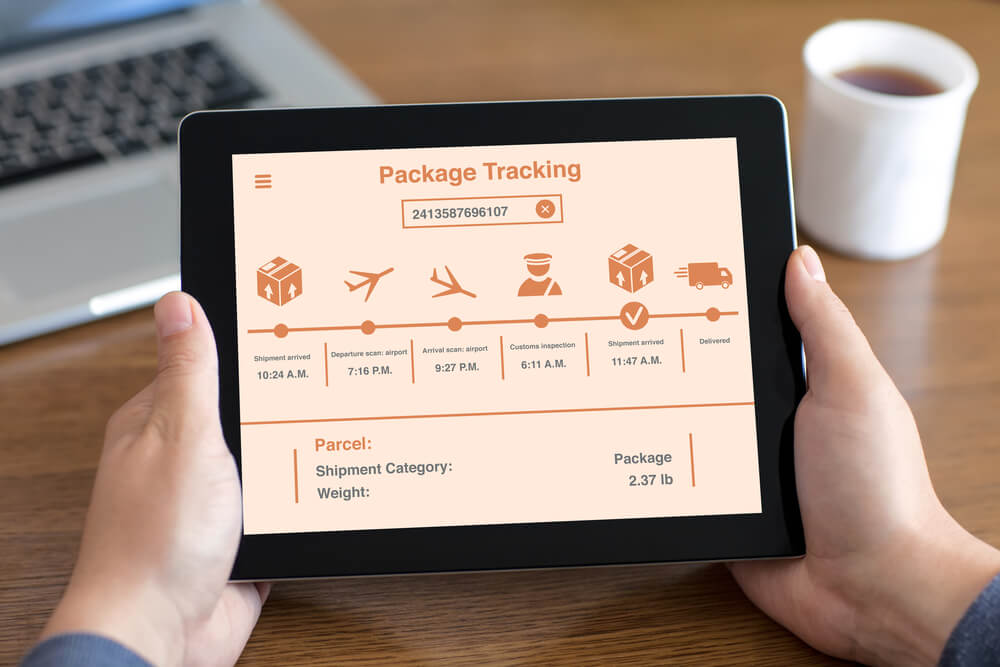
Reviewing your options online will help you learn about some of the benefits of package tracking. You can ensure that customers and clients receive the products they purchased within the timeframe you listed, which can increase your positive reviews and online reputation. It also helps you stay vigilant for potential scammers. FedEx shows you a package’s current location and notifies you when it arrives, allowing you to prove to customers they have received their deliveries.
Learn About Sending Checks Through the Mail
Is this information useful to you? Keep in mind that, depending on your location and industry, hiring remote workers may be beneficial. They can live anywhere in the world and complete work on your behalf.
CheckIssuing makes it easy for you to cut and send checks to those workers, ensuring they receive the money they deserve. We offer fast processing times and work with hundreds of clients across various industries. With our instant setup services, you can sign up for a new account and send checks the same day.
Contact us, call us, or schedule a meeting with the team to learn more about check printing and mailing safely.
Citations
- FedEx – Shipping Labels & Documentation – https://www.fedex.com/en-us/service-guide/labels-documentation.html
- FedEx Tracking – https://www.fedex.com/fedextrack/
- FedEx Delivery Manager – https://www.fedex.com/en-us/delivery-manager.html
- FedEx InSight® – https://www.fedex.com/en-us/tracking/insight.html
- FedEx Customer Support – https://www.fedex.com/en-us/customer-support.html
Last updated: September 2025